

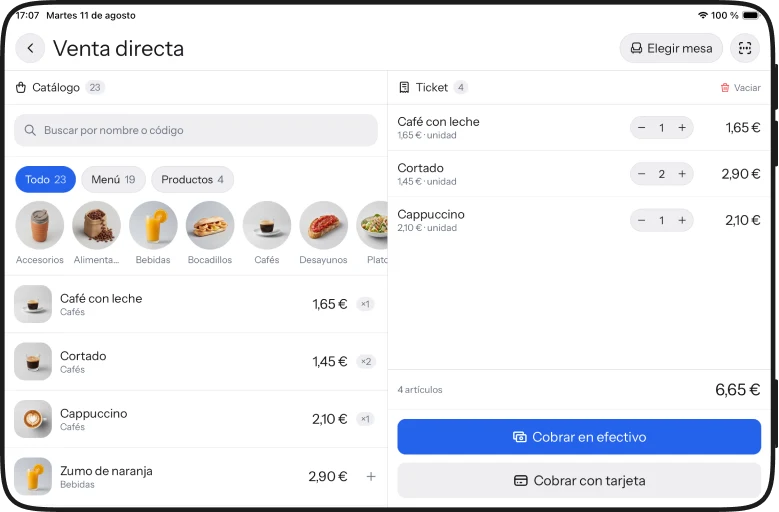
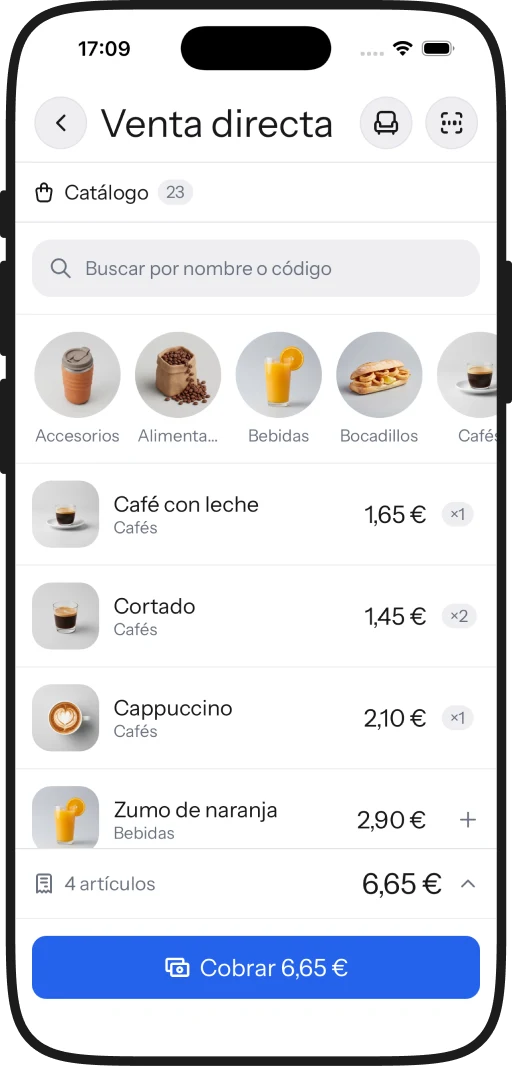
The catalogue on the left and the ticket on the right. You sell, you charge, and when the shift closes the drawer is counted.
You sign in with your business account. iPad, iPhone and the browser.
01 · The table
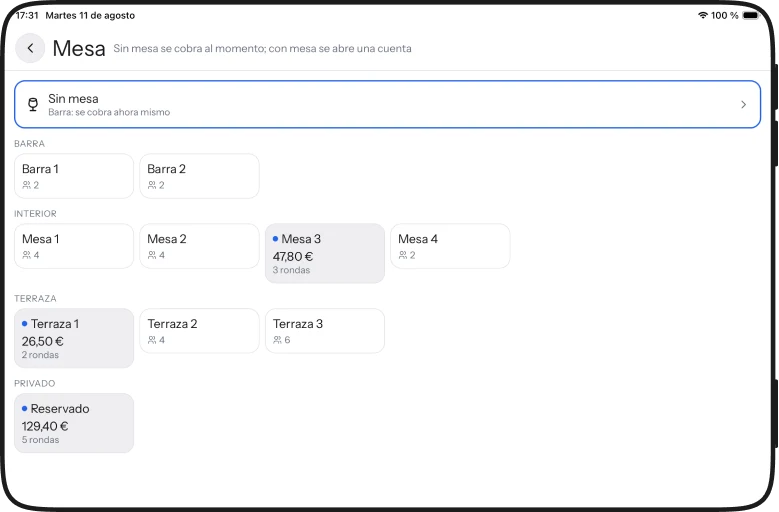
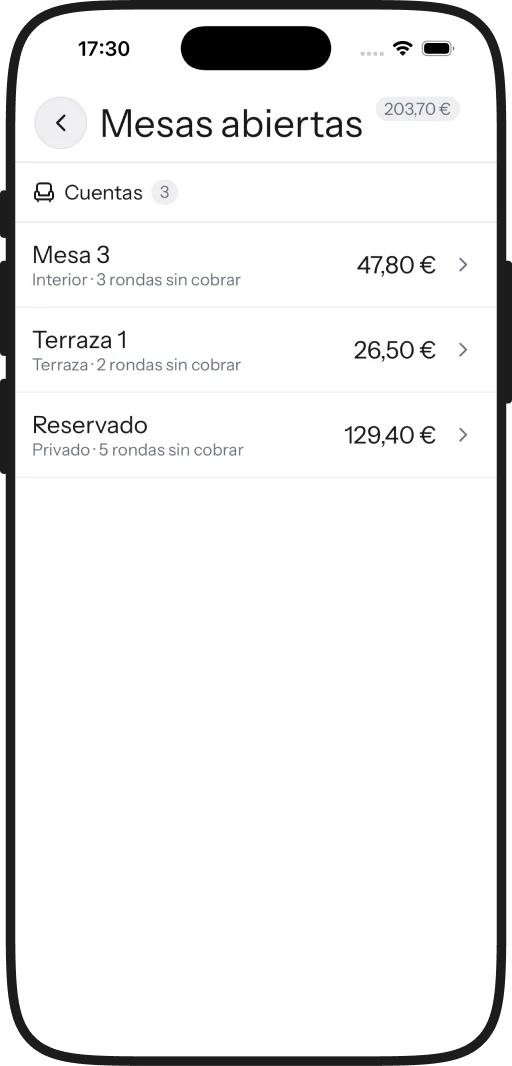
Picking a table IS the gesture: at the bar you charge on the spot, and a table keeps stacking rounds until someone asks for the bill. The open ones sit together, with what each is carrying.
02 · The payment
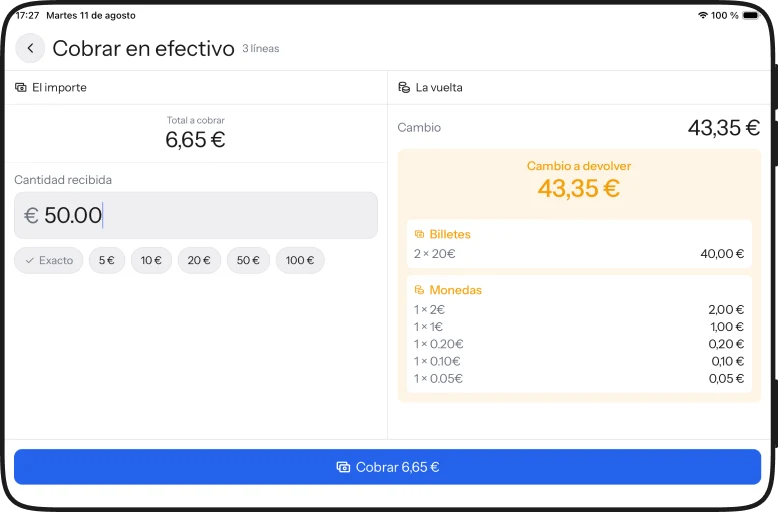
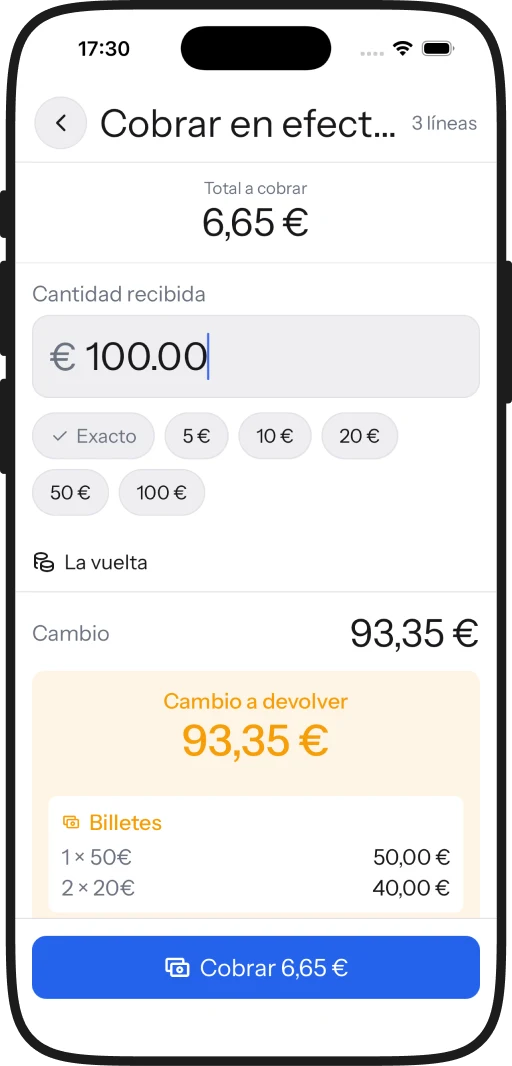
You type what you were handed and the change appears opposite, broken down into notes and coins. Whoever is on the till doesn't have to do the subtraction while someone waits.
03 · The shift
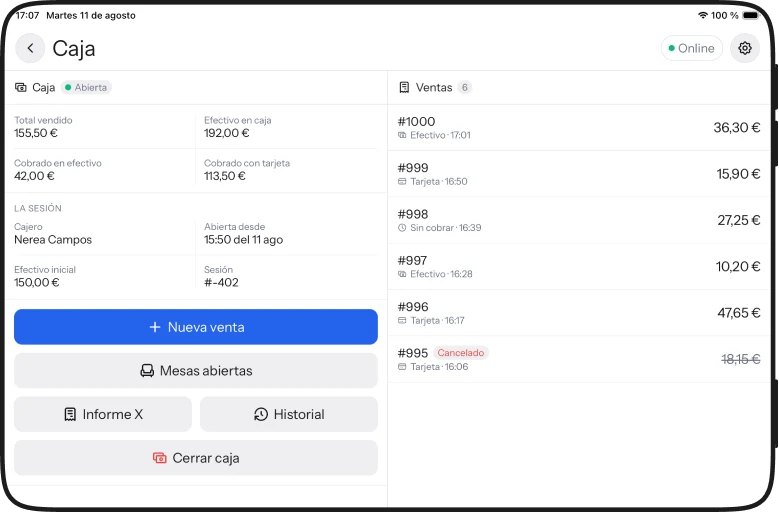
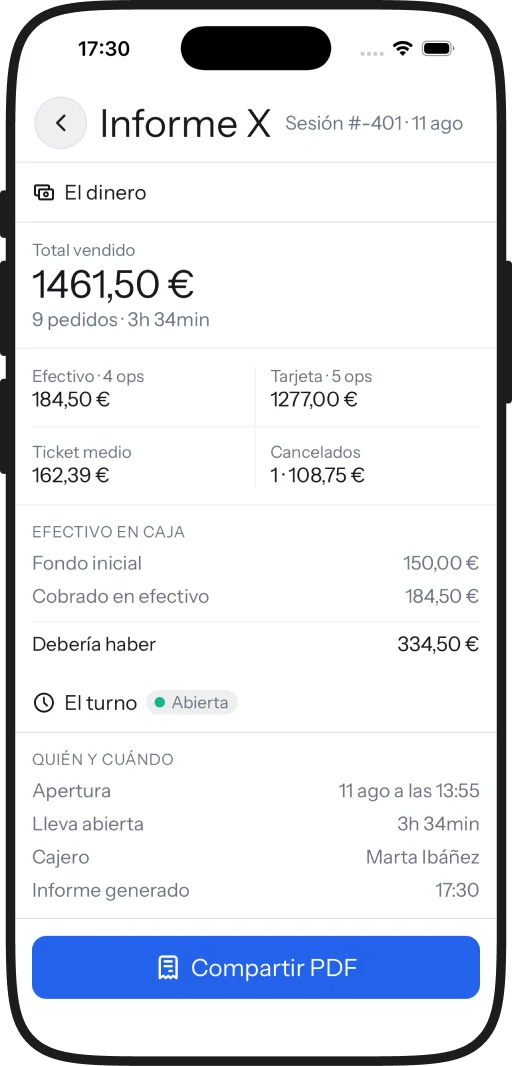
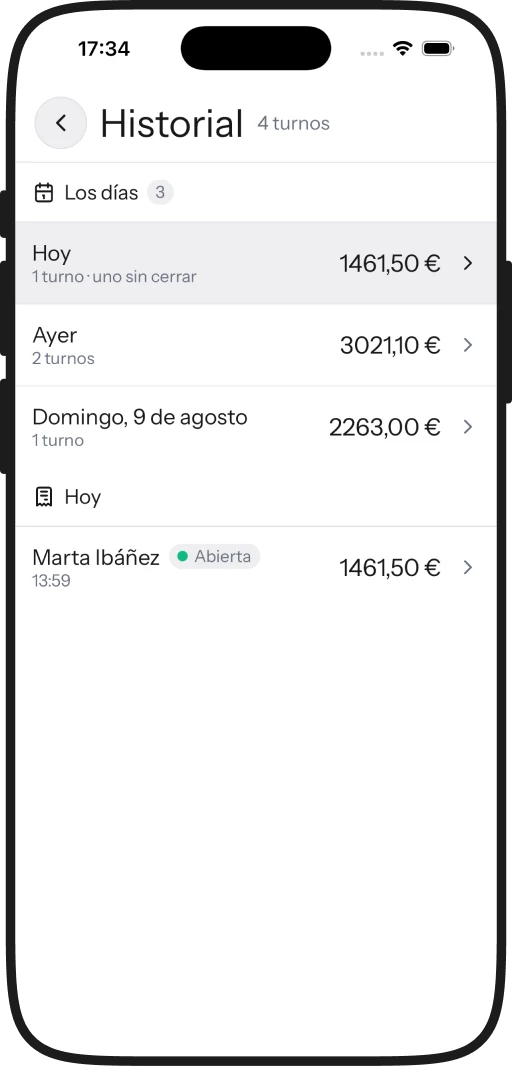
What has been sold, what is in the drawer and who is on the till. The X report shows the shift up to this minute without closing it, and a cancelled sale stays in the list, struck through.
04 · The closing
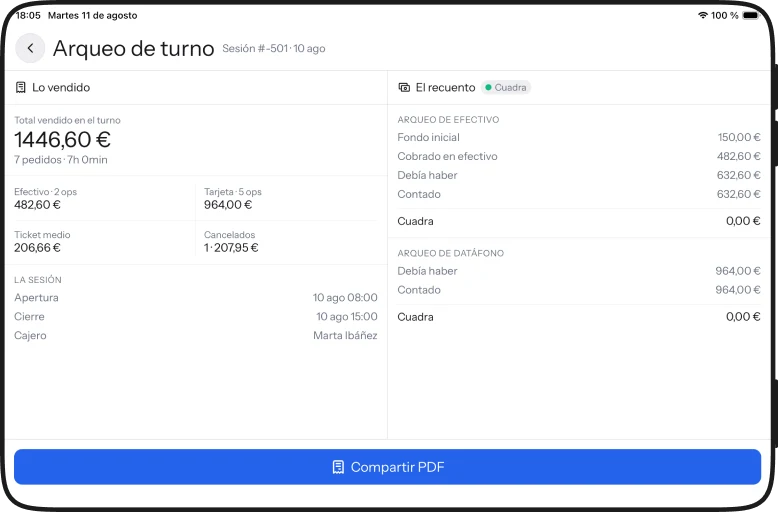
At closing you count the cash and the card terminal, each next to what it should have held. If there's too much or too little you get the difference; and if it adds up, it says that too.
05 · The day
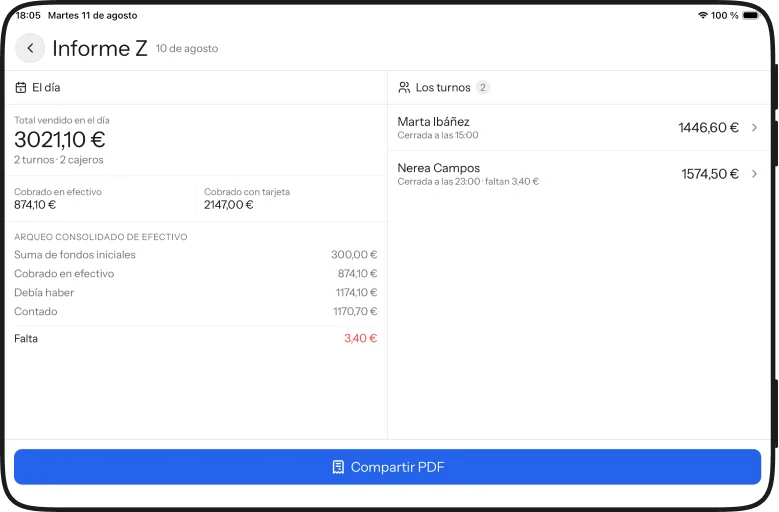
The Z report adds up the day's shifts and consolidates the count. If money is missing it comes with the name of whoever closed and at what time, not as an anonymous discrepancy.
06 · Your venues
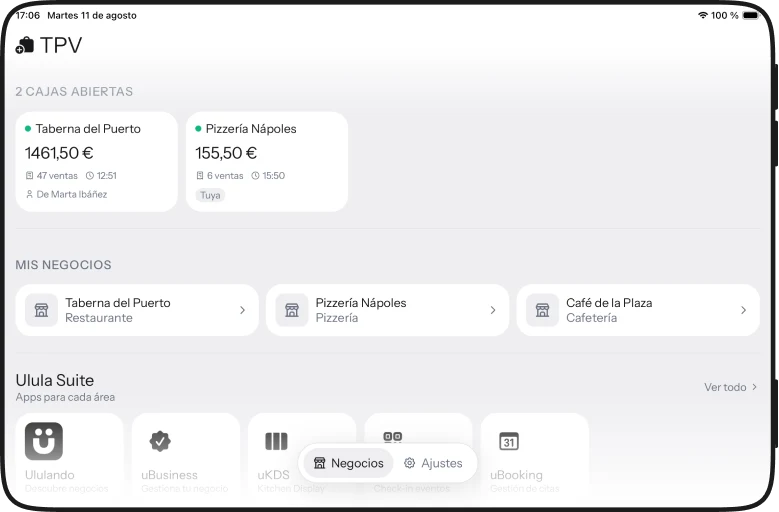
If you run more than one venue, you see which ones have a till open, how much it has taken and who is on it. And from there you reach the rest of the suite.
07 · On the phone
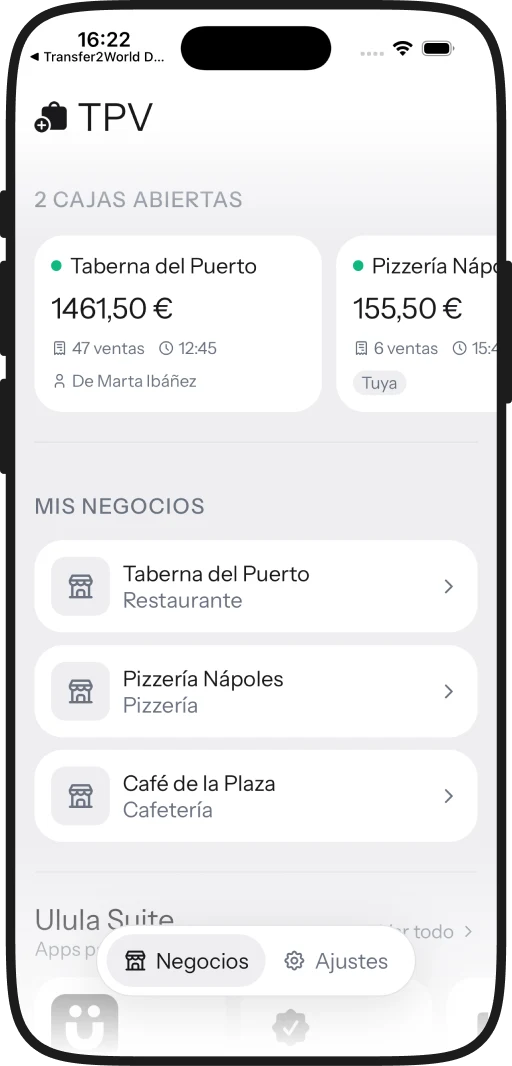
On the terrace, at a market stall, or behind a bar with no room for a tablet. The same screens stacked into one column instead of two panes: nothing is left out.
You sign in with your business account: if it's already set up, all that's left is opening the app.
iPad and iPhone · iOS 15 or later · also in the browser, at tpv.ululando.com